Docs/Company Profile

Company Profile

A comprehensive, single-page view of any UK company — combining official filings, risk analysis, regulatory data, and AI-powered insights into one place.
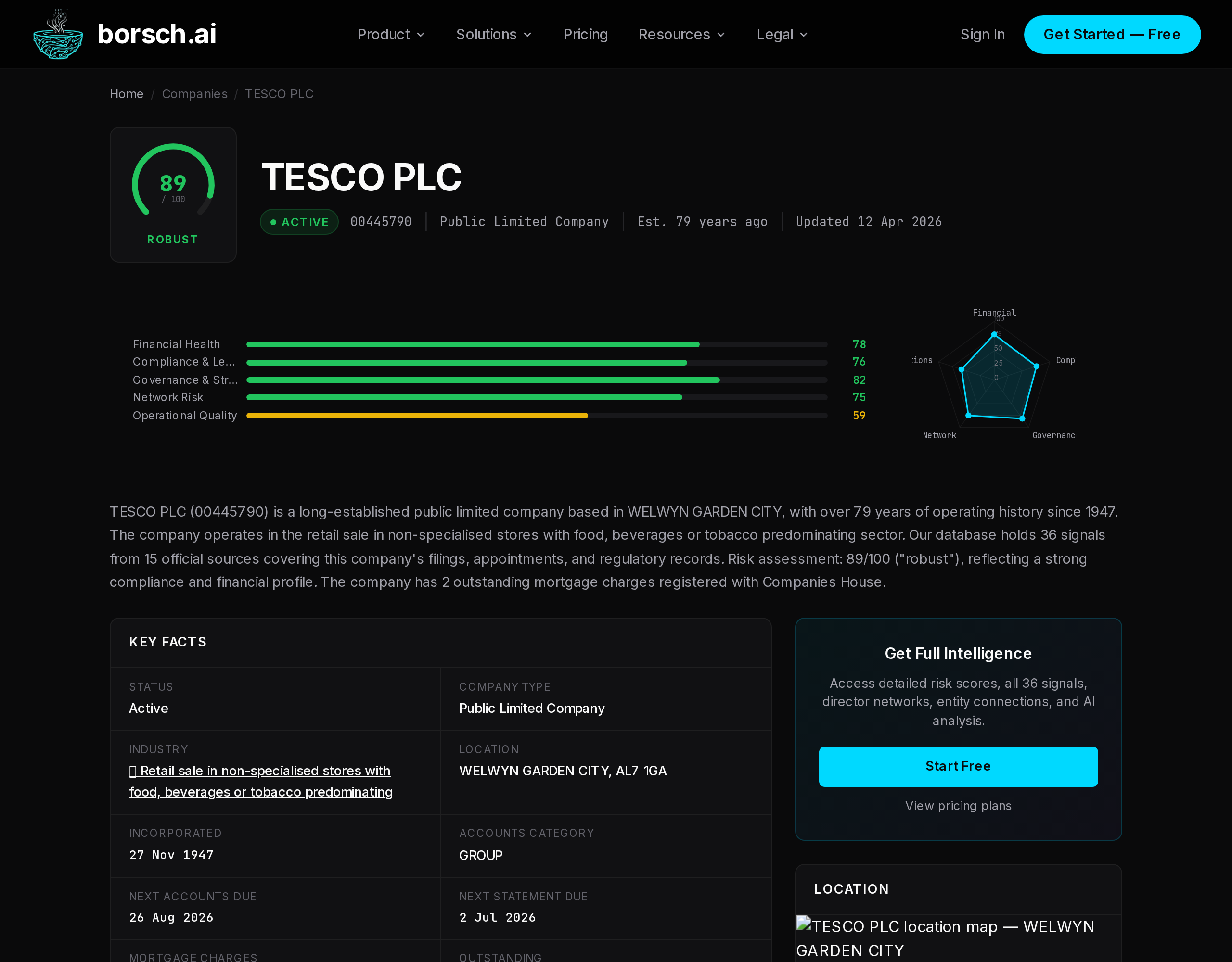
Company profile page showing TESCO PLC with risk score 89 (Robust), five risk dimensions, radar chart, and key facts

Overview

The company profile page brings together everything uvagatron.com knows about a company. It draws on 48 official data sources, including Companies House filings, FCA registers, ICO records, Land Registry data, gazette notices, and more.

You can access a company profile in two ways:

  • From the Explorer — search for a company in the Explorer and click its name in the results.
  • Direct URL — navigate to /company/COMPANY_NUMBER, where the company number is the 8-character identifier from Companies House (e.g. /company/00445790).

The profile is divided into multiple sections, each covering a different aspect of the company. Sections load independently so the page remains fast even when fetching data from multiple sources.

Profile Sections

Each section of the company profile focuses on a specific dimension of the business. Together they provide a 360-degree view.
Company Overview
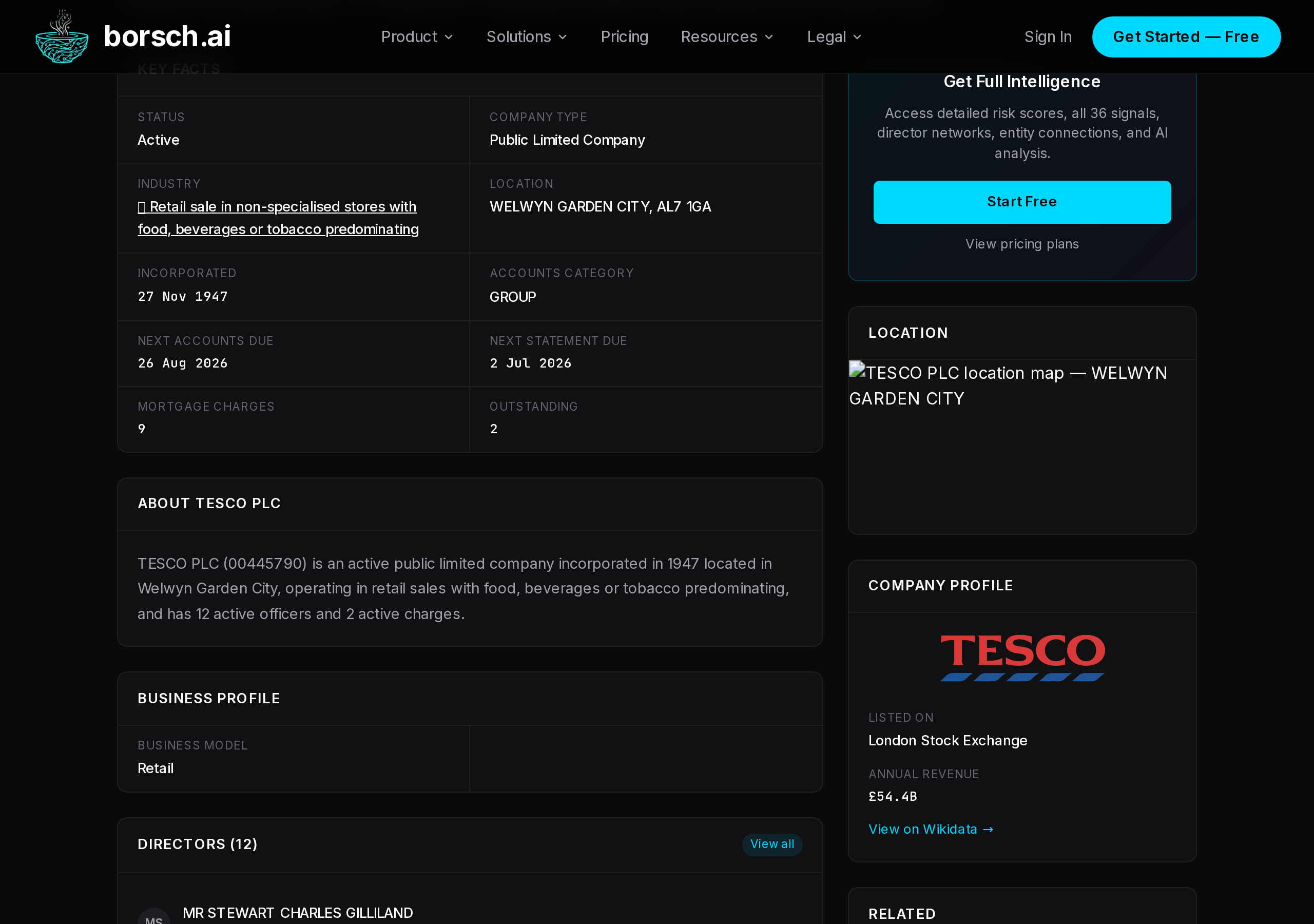
Company name, trading status, registered address, incorporation date, SIC codes, and basic identifiers. The foundation of every profile.
Risk Score
A multi-dimensional risk gauge assessing five areas: Financial Health, Compliance, Governance, Network Risk, and Operations. Classified from Robust to Critical.
Signals
A filterable table of data points collected from 48 official sources. Each signal carries a score indicating positive or negative impact on the company.
Directors & PSC
Current and resigned officers, secretaries, and persons with significant control. Includes appointment dates, resignation dates, and ownership percentages.
Financial Trends
A five-year chart built from filed accounts at Companies House, showing revenue, assets, liabilities, and other key financial metrics over time.
Compliance Badges
Visual badges for regulatory registrations and certifications: FCA authorisation, ICO registration, B Corp status, Living Wage, Disability Confident, and more.
Regulatory Ratings
Sector-specific ratings where applicable — CQC inspection results for healthcare providers and FHRS food hygiene star ratings for food businesses.
Entity Network
An interactive graph visualisation showing relationships between the company and entities mentioned alongside it — products, services, partners, technologies, and brands.
Property Portfolio
Land Registry holdings linked to the company, including property titles, tenure types, and districts. Covers both domestic and overseas ownership records.
Similar Companies
Semantically similar businesses found using AI embeddings and structural graph analysis. Useful for competitive research, benchmarking, and finding comparable firms.
Company profile detail sections showing AI summary, key facts table with status, industry, location, and incorporation date

Understanding Signals

Signals are individual data points collected from official and public sources. Each signal represents a discrete event or record associated with the company — a filed mortgage, a regulatory registration, a gazette notice, a payment practices report, and so on.

Every signal has a score that indicates its impact:

  • Positive scores (e.g. +10, +20) indicate favourable signals such as regulatory approvals, certifications, or grant awards.
  • Negative scores (e.g. -30, -70) indicate risk factors such as county court judgments, late filings, sanctions, or winding-up petitions.
  • Neutral scores (0 or near-zero) are informational records like officer appointments or address changes.
CategoryExamplesTypical Score
RiskSanctions, winding-up, disqualified directors-50 to -100
FinancialMortgages, accounts filed, payment practices-20 to +10
ComplianceFCA registration, ICO registration, CQC rating+5 to +20
QualityB Corp, Living Wage, Disability Confident+10 to +20
TradeImport/export records, international trader status+5 to +10
Filtering Signals
Use the source dropdown to filter signals by data source (e.g. only Companies House filings, only FCA data). You can also filter by category to focus on risk, financial, or compliance signals specifically.

Available Actions

From any company profile, you can take several actions to dig deeper or integrate the data into your workflow.

1
Export to PDF
Download a formatted PDF report of the company profile, ready to share with colleagues or attach to compliance files.
2
Compare with another company
Select a second company and view a side-by-side comparison of risk scores, signals, financials, and key metrics. See the Compare guide for details.
3
Monitor for changes
Click the bell icon to subscribe to alerts when the company receives new signals, a risk score change, or a director movement. See Monitoring & Alerts.
4
View on Companies House
A direct link takes you to the official Companies House page for the same company, so you can cross-reference the original filings.
Tip
For the deepest analysis, use the AI Chat to ask follow-up questions about any company. The assistant can cross- reference signals, explain risk factors, explore director networks, and generate custom reports — all in natural language.